登录
登录Best Linux Distributions for Every Use Case
A Linux distribution (or “distro”) is an operating system built on the Linux kernel, combined with GNU tools, libraries, and software packages. Each distro includes a desktop environment, package manager, and preinstalled applications tailored to specific use cases.
With hundreds of Linux distributions available, choosing the right one can be overwhelming. This guide covers the best Linux distributions for different types of users, from complete beginners to security professionals.
How to Choose a Linux Distro
When selecting a Linux distribution, consider these factors:
- Experience level — Some distros are beginner-friendly, while others require technical knowledge
- Hardware — Older computers benefit from lightweight distros like Xubuntu and other Xfce-based systems
- Purpose — Desktop use, gaming, server deployment, or security testing all have ideal distros
- Software availability — Check if your required applications are available in the distro’s repositories
- Community support — Larger communities mean more documentation and help
Linux Distros for Beginners
These distributions are designed with user-friendliness in mind, featuring intuitive interfaces and easy installation.
Ubuntu
Ubuntu is the most popular Linux distribution and an excellent starting point for newcomers. Developed by Canonical, it offers a polished desktop experience with the GNOME environment and extensive hardware support.
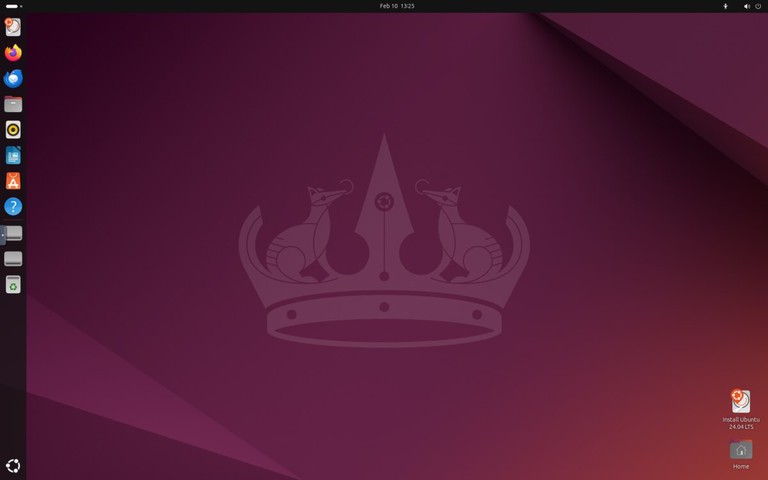
Ubuntu comes in several editions:
- Ubuntu Desktop — Standard desktop with GNOME
- Ubuntu Server — For server deployments
- Kubuntu, Lubuntu, Xubuntu — Alternative desktop environments
Ubuntu releases new versions every six months, with Long Term Support (LTS) versions every two years receiving five years of security updates.
Website: https://ubuntu.com/
Linux Mint
Linux Mint is an excellent choice for users coming from Windows. Its Cinnamon desktop environment provides a familiar layout with a taskbar, start menu, and system tray.
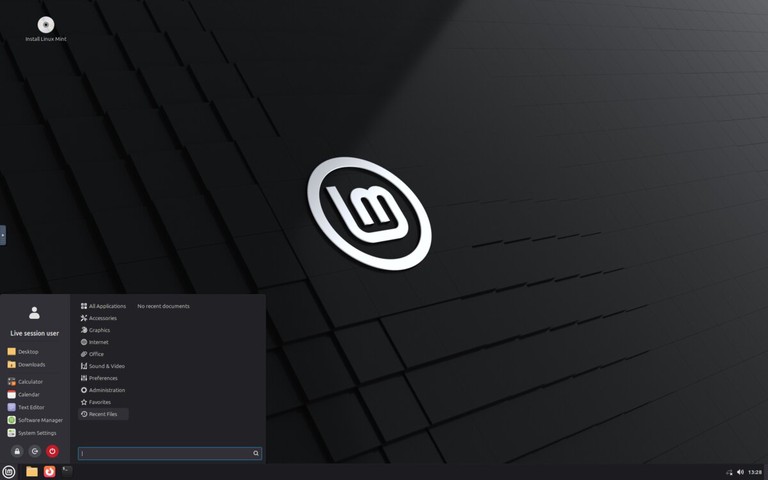
Key features:
- Comes with multimedia codecs preinstalled
- LibreOffice productivity suite included
- Update Manager for easy system maintenance
- Available with Cinnamon, MATE, or Xfce desktops
Website: https://linuxmint.com/
Pop!_OS
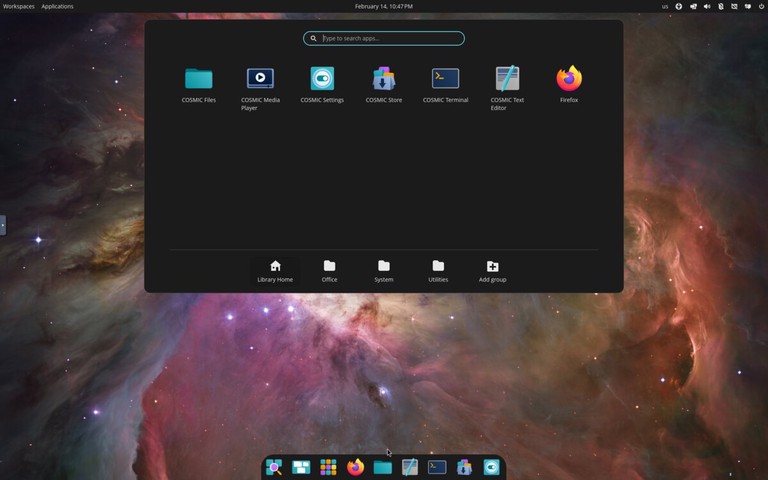
Developed by System76, Pop!_OS is based on Ubuntu but optimized for productivity and gaming. It ships with the COSMIC desktop environment (built in Rust by System76), featuring built-in window tiling, a launcher for quick app access, and excellent NVIDIA driver support out of the box.
Pop!_OS is particularly popular among:
- Gamers (thanks to Steam and Proton integration)
- Developers (includes many development tools)
- Users with NVIDIA graphics cards
Website: https://pop.system76.com/
Zorin OS
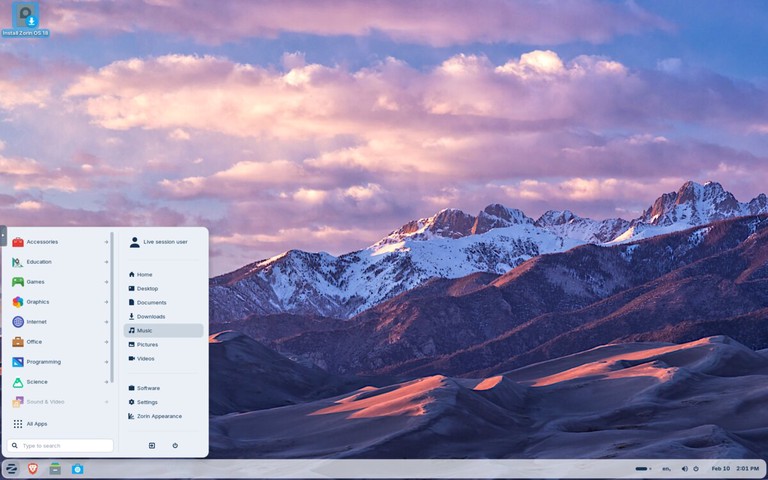
Zorin OS is a beginner-focused distribution designed to make the move from Windows or macOS easier. It includes polished desktop layouts, strong hardware compatibility, and a simple settings experience for new users.
Zorin OS is a strong option when you want:
- A familiar desktop layout with minimal setup
- Stable Ubuntu-based package compatibility
- Good out-of-the-box support for everyday desktop tasks
Website: https://zorin.com/os/
elementary OS
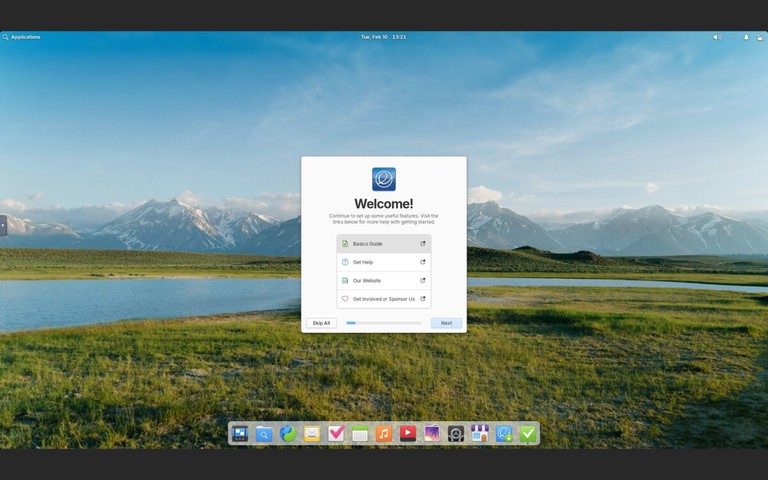
elementary OS is a design-focused distribution with a macOS-like interface called Pantheon. It emphasizes simplicity, consistency, and a curated app experience through its AppCenter.
elementary OS is a good fit when you want:
- A clean, visually polished desktop out of the box
- A curated app store with native applications
- A macOS-like workflow on Linux
Website: https://elementary.io/
Lightweight Linux Distros
These distributions are designed for older hardware or users who prefer a minimal, fast system.
Xubuntu
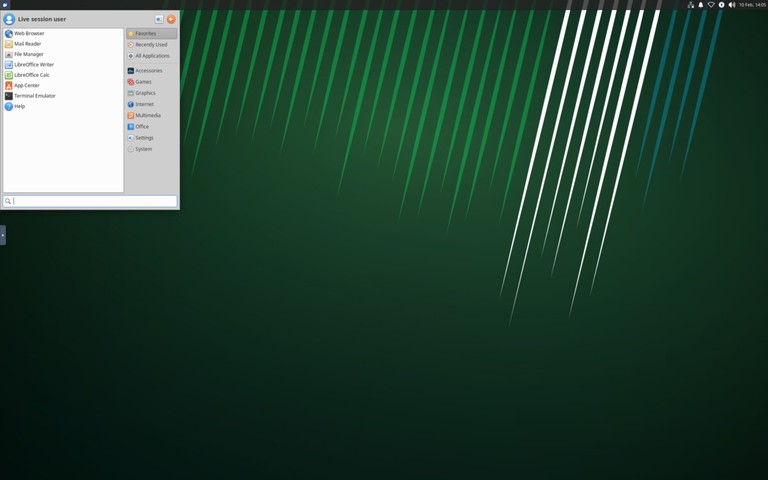
Xubuntu combines Ubuntu’s reliability with the Xfce desktop environment, offering a good balance between performance and features. It is lighter than standard Ubuntu while remaining full-featured for daily desktop use.
Xubuntu is a practical choice when you need:
- Better performance on older hardware
- A traditional desktop workflow
- Ubuntu repositories and long-term support options
Website: https://xubuntu.org/
Lubuntu
Lubuntu uses the LXQt desktop environment, making it one of the lightest Ubuntu-based distributions available. It is designed for very old or resource-constrained hardware where even Xfce feels heavy.
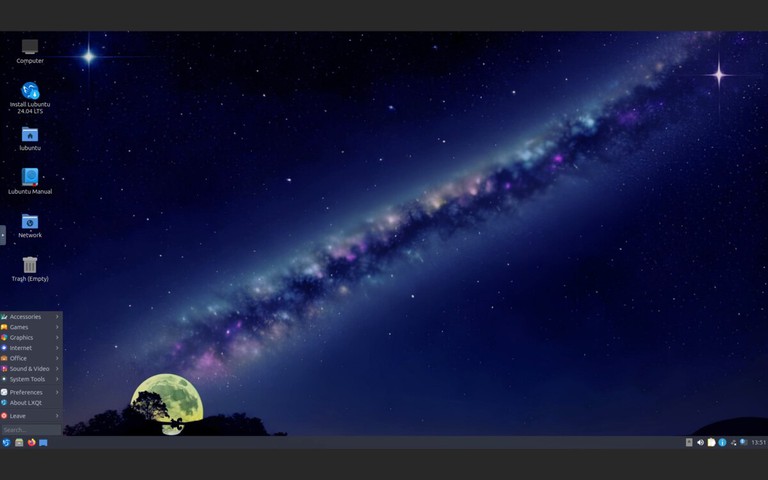
Lubuntu works well when you need:
- Minimal memory and CPU usage
- A functional desktop on very old hardware
- Access to Ubuntu repositories and LTS support
Website: https://lubuntu.me/
Linux Distros for Advanced Users
These distributions offer more control and customization but require technical knowledge to set up and maintain.
Arch Linux
Arch Linux follows a “do-it-yourself” philosophy, providing a minimal base system that users build according to their needs. It uses a rolling release model, meaning you always have the latest software without major version upgrades.
Key features:
- Pacman package manager with access to vast repositories
- Arch User Repository (AUR) for community packages
- Excellent documentation in the Arch Wiki
- Complete control over every aspect of the system
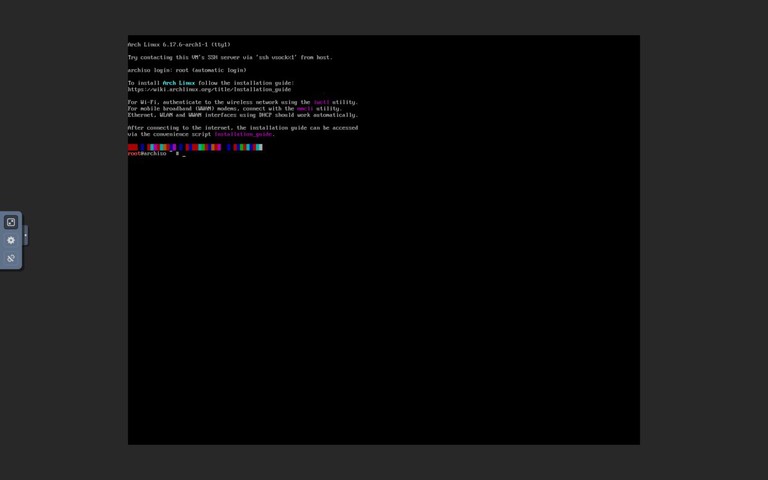
Website: https://archlinux.org/
EndeavourOS
EndeavourOS is an Arch-based distribution that keeps the Arch philosophy while simplifying installation and initial setup. It is popular among users who want a near-Arch experience without doing a fully manual install.
EndeavourOS gives you:
- Rolling release updates
- Access to Arch repositories and AUR packages
- A cleaner onboarding path than a base Arch install
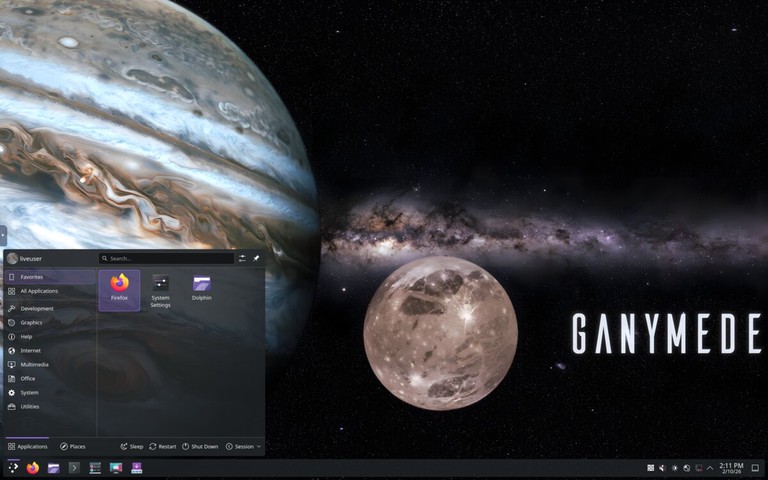
Website: https://endeavouros.com/
Fedora
Fedora is a cutting-edge distribution sponsored by Red Hat. It showcases the latest open-source technologies while maintaining stability, making it popular among developers and system administrators.
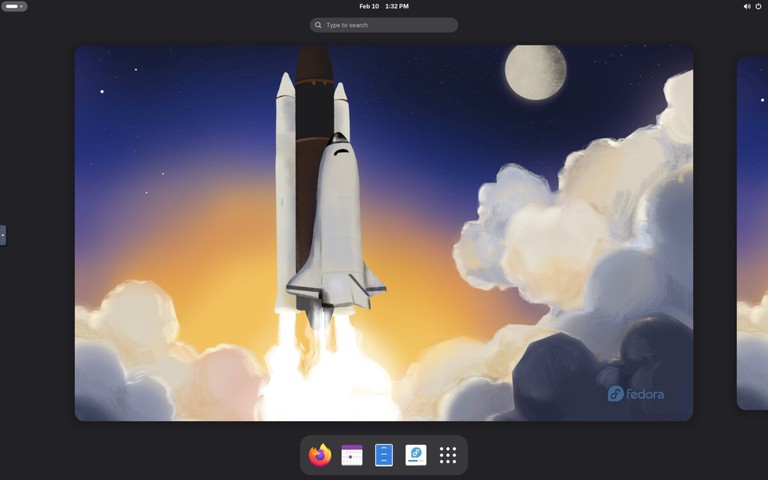
Fedora editions include:
- Fedora Workstation — Desktop with GNOME
- Fedora Server — For server deployments
- Fedora Silverblue — Immutable desktop OS
- Fedora Spins — Alternative desktops (KDE, Xfce, etc.)
Many Red Hat technologies debut in Fedora before reaching RHEL, making it ideal for learning enterprise Linux.
Website: https://fedoraproject.org/
openSUSE
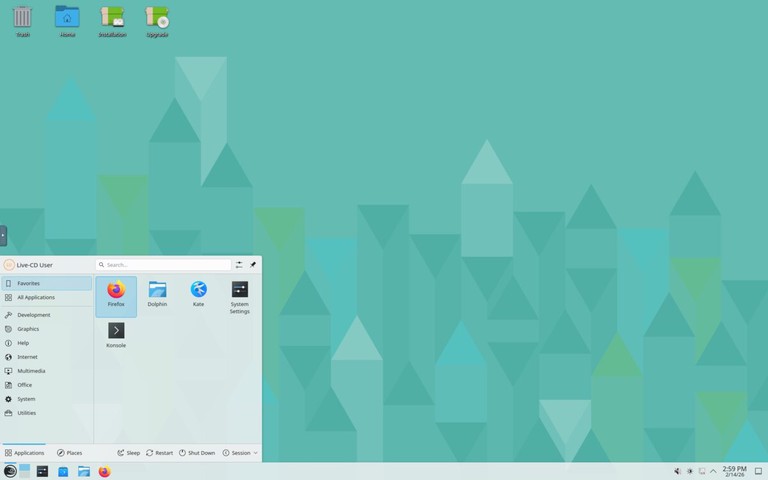
openSUSE is a community-driven distribution known for its stability and powerful administration tools. It offers two main variants:
- openSUSE Leap — Regular releases based on SUSE Linux Enterprise
- openSUSE Tumbleweed — Rolling release with the latest packages
The YaST (Yet another Setup Tool) configuration utility makes system administration straightforward, handling everything from software installation to network configuration.
Website: https://www.opensuse.org/
Linux Distros for Gaming
Gaming-focused distributions prioritize current graphics stacks, controller support, and compatibility with modern Steam and Proton workflows.
Bazzite
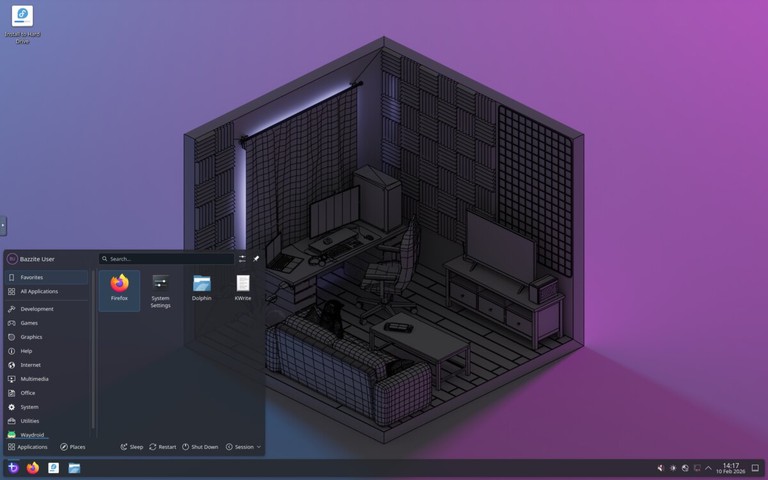
Bazzite is an immutable Fedora-based desktop optimized for gaming and handheld devices. It ships with gaming-focused defaults and integrates well with Steam, Proton, and modern GPU drivers.
Bazzite is ideal when you want:
- A Steam-first gaming setup
- Reliable rollback and update behavior from an immutable base
- A distro tuned for gaming PCs and handheld hardware
Website: https://bazzite.gg/
Linux Distros for Servers
These distributions are optimized for stability, security, and long-term support in server environments.
Debian
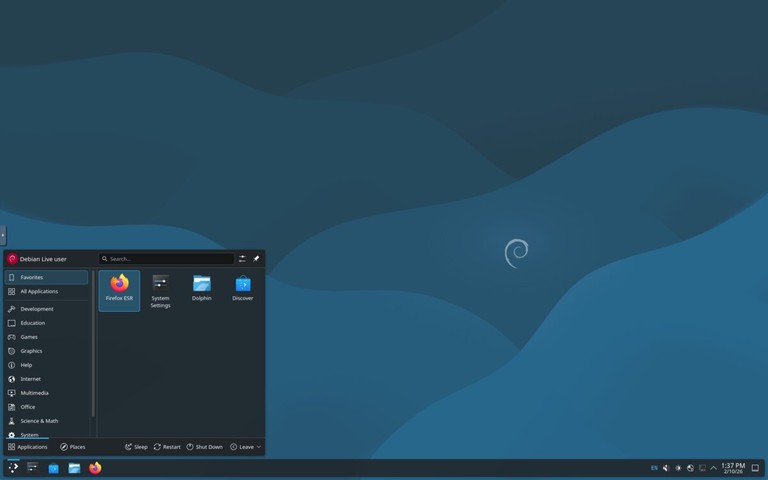
Debian is one of the oldest and most influential Linux distributions. Known for its rock-solid stability and rigorous testing process, it serves as the foundation for Ubuntu, Linux Mint, Kali Linux, and many other distributions.
Debian offers three release channels:
- Stable — Thoroughly tested, ideal for production servers
- Testing — Upcoming stable release with newer packages
- Unstable (Sid) — Rolling release with the latest software
With over 59,000 packages in its repositories, Debian supports more hardware architectures than any other Linux distribution.
Website: https://www.debian.org/
Red Hat Enterprise Linux (RHEL)
RHEL is the industry standard for enterprise Linux deployments. It offers:
- 10-year support lifecycle
- Certified hardware and software compatibility
- Red Hat Insights for predictive analytics
- Professional support from Red Hat
RHEL runs on multiple architectures including x86_64, ARM64, IBM Power, and IBM Z.
Website: https://www.redhat.com/
Rocky Linux
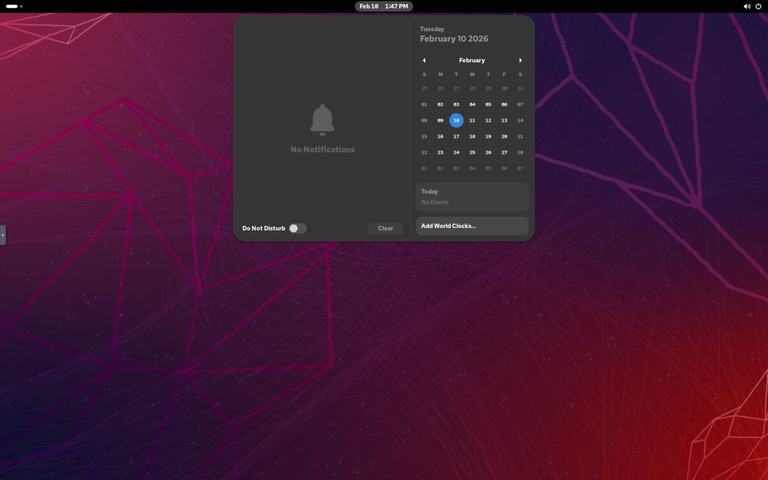
After CentOS shifted to CentOS Stream, Rocky Linux emerged as a community-driven RHEL-compatible distribution. Founded by one of the original CentOS creators, it provides 1:1 binary compatibility with RHEL.
Rocky Linux is ideal for:
- Organizations previously using CentOS
- Production servers requiring stability
- Anyone needing RHEL compatibility without the cost
Website: https://rockylinux.org/
Ubuntu Server
Ubuntu Server is widely used for cloud deployments and containerized workloads. It powers a significant portion of public cloud instances on AWS, Google Cloud, and Azure.
Features include:
- Regular and LTS releases
- Excellent container and Kubernetes support
- Ubuntu Pro for extended security maintenance
- Snap packages for easy application deployment
Website: https://ubuntu.com/server
SUSE Linux Enterprise Server (SLES)
SUSE Linux Enterprise Server is designed for mission-critical workloads. It excels in:
- SAP HANA deployments
- High-performance computing
- Mainframe environments
- Edge computing
SLES offers a common codebase across different environments, simplifying workload migration.
Website: https://www.suse.com/products/server/
Linux Distros for Security and Privacy
These distributions focus on security testing, anonymity, and privacy protection.
Kali Linux
Kali Linux is the industry-standard platform for penetration testing and security research. Maintained by Offensive Security, it includes hundreds of security tools preinstalled.
Common use cases:
- Penetration testing
- Security auditing
- Digital forensics
- Reverse engineering
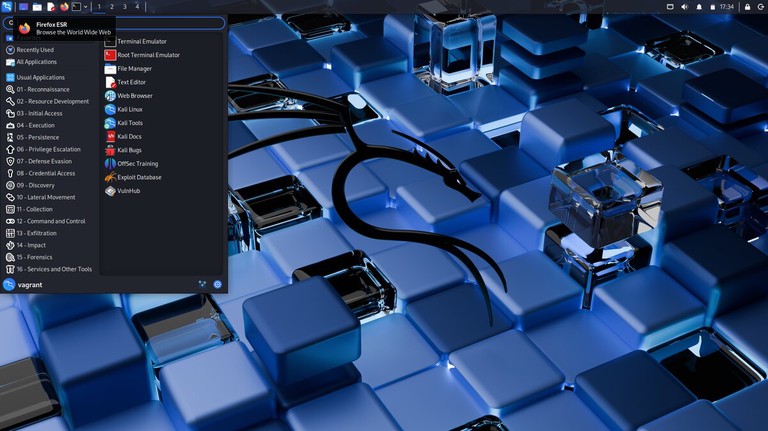
Website: https://www.kali.org/
Tails
Tails (The Amnesic Incognito Live System) is a portable operating system designed for privacy and anonymity. It runs from a USB drive and routes all traffic through the Tor network.
Key features:
- Leaves no trace on the host computer
- All connections go through Tor
- Built-in encryption tools
- Amnesic by design (forgets everything on shutdown)
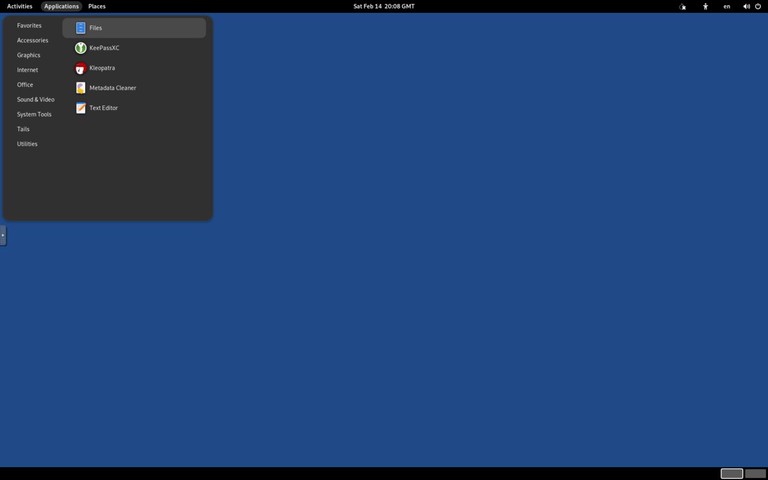
Website: https://tails.net/
Qubes OS
Qubes OS takes a unique approach to security by isolating different activities in separate virtual machines called “qubes.” If one qube is compromised, others remain protected.
The Xen hypervisor runs directly on hardware, providing strong isolation between:
- Work applications
- Personal browsing
- Untrusted software
- Sensitive data
Website: https://www.qubes-os.org/
Parrot Security OS
Parrot Security is a Debian-based distribution for security testing, development, and privacy. It is lighter than Kali Linux and can serve as a daily driver.
Parrot offers several editions:
- Security Edition — Full security toolkit
- Home Edition — Privacy-focused daily use
- Cloud Edition — For cloud deployments
Website: https://parrotsec.org/
Getting Started
Once you have chosen a distro, the next steps are:
- Download the ISO from the official website
- Create a bootable USB drive — See our guide on creating a bootable Linux USB
- Try it live before installing (most distros support this)
- Install following the distro’s installation wizard
Quick Comparison
| Distro | Best For | Desktop | Package Manager | Based On |
|---|---|---|---|---|
| Ubuntu | Beginners | GNOME | APT | Debian |
| Linux Mint | Windows users | Cinnamon | APT | Ubuntu |
| Zorin OS | New Linux users | GNOME (Zorin desktop) | APT | Ubuntu |
| elementary OS | macOS-like experience | Pantheon | APT | Ubuntu |
| Fedora | Developers | GNOME | DNF | Independent |
| Debian | Stability/Servers | GNOME | APT | Independent |
| Arch Linux | Advanced users | Any | Pacman | Independent |
| EndeavourOS | Arch with easier setup | Xfce (default) | Pacman | Arch Linux |
| Pop!_OS | Gaming/Developers | COSMIC | APT | Ubuntu |
| Bazzite | Gaming | KDE/GNOME variants | RPM-OSTree | Fedora |
| Rocky Linux | Enterprise servers | None | DNF | RHEL |
| Xubuntu | Older hardware | Xfce | APT | Ubuntu |
| Lubuntu | Very old hardware | LXQt | APT | Ubuntu |
| Kali Linux | Security testing | Xfce | APT | Debian |
FAQ
Which Linux distro is best for beginners?
Ubuntu, Linux Mint, and Zorin OS are the best choices for beginners. Ubuntu has the largest community and most documentation, while Linux Mint and Zorin OS provide a familiar desktop experience.
Can I try a Linux distro without installing it?
Yes. Most distributions support “live booting” from a USB drive, allowing you to test the system without making any changes to your computer.
Is Linux free?
Most Linux distributions are completely free to download and use. Some enterprise distros like RHEL offer paid support subscriptions.
Can I run Windows software on Linux?
Many Windows applications run on Linux through Wine or Proton (for games via Steam). Native alternatives like LibreOffice, GIMP, and Firefox are also available.
What is a rolling release distro?
A rolling release distro (like Arch Linux or openSUSE Tumbleweed) delivers continuous updates instead of major version upgrades. You always have the latest software, but updates require more attention.
Conclusion
The best Linux distribution depends entirely on your needs and experience level. If you are new to Linux, start with Ubuntu, Linux Mint, or Zorin OS. If you want full control over your system, try Arch Linux, EndeavourOS, or Fedora. For gaming, Pop!_OS and Bazzite are strong options. For servers, Debian, Rocky Linux, Ubuntu Server, and RHEL are all solid choices. For security testing, Kali Linux and Parrot Security are the industry standards.
Most distributions are free to download and try. Create a bootable USB, test a few options, and find the one that fits your workflow.
If you have any questions, feel free to leave a comment below.